Ulom — Role-Based Editorial Dashboard
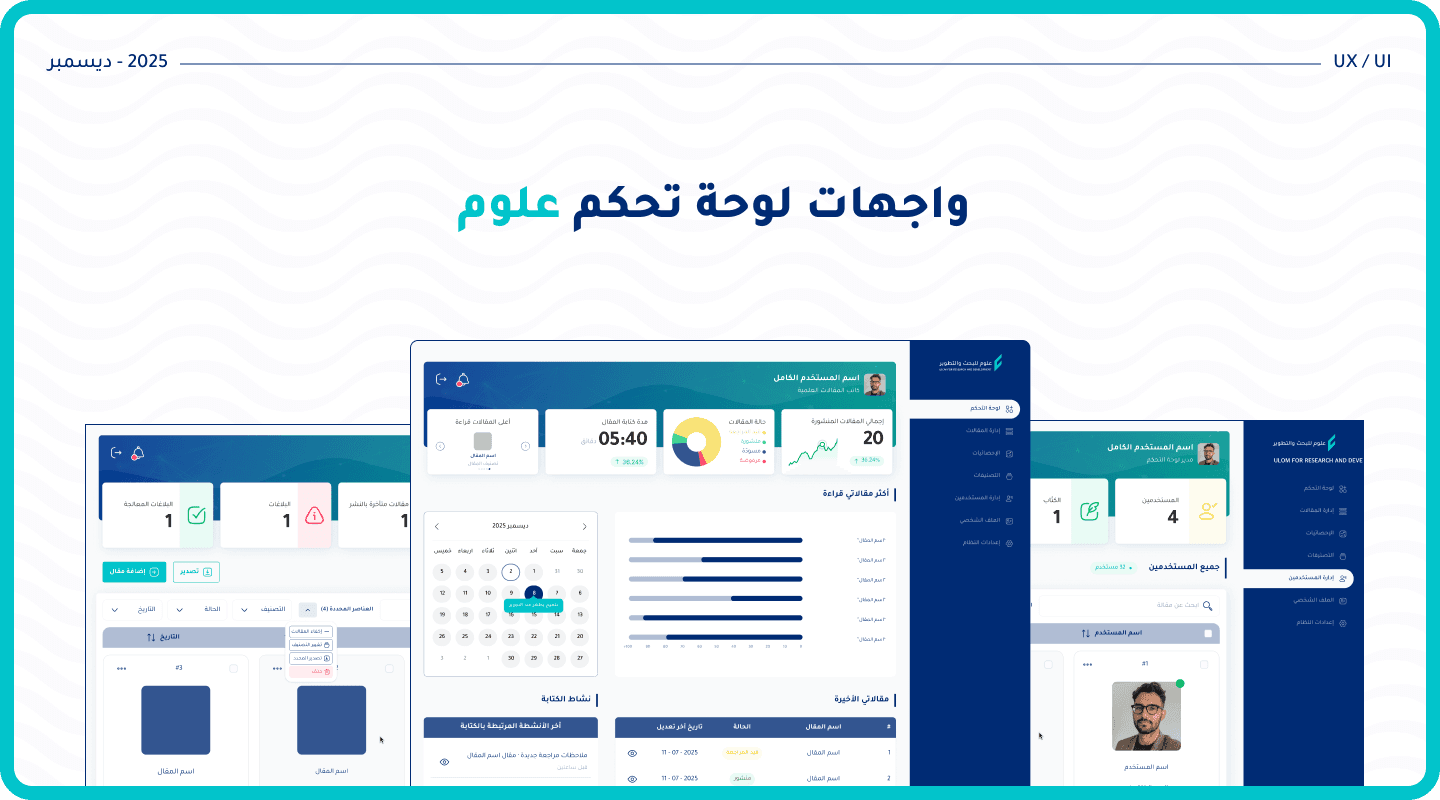
A 0-to-1 product design for the internal administrative dashboard of "Ulom," an Arabic science publishing platform. The project required translating a complex editorial workflow into a logical, role-based interface.
Dashboard
Case Study
UX/UI Designer
#EdTech
PROJECT DETAILS
The platform needed an internal tool to manage a growing editorial workflow — articles moving through draft, review, revision, and publication — across users with different responsibilities and access levels. A single interface couldn't serve all three roles without creating confusion or exposing unauthorized actions.
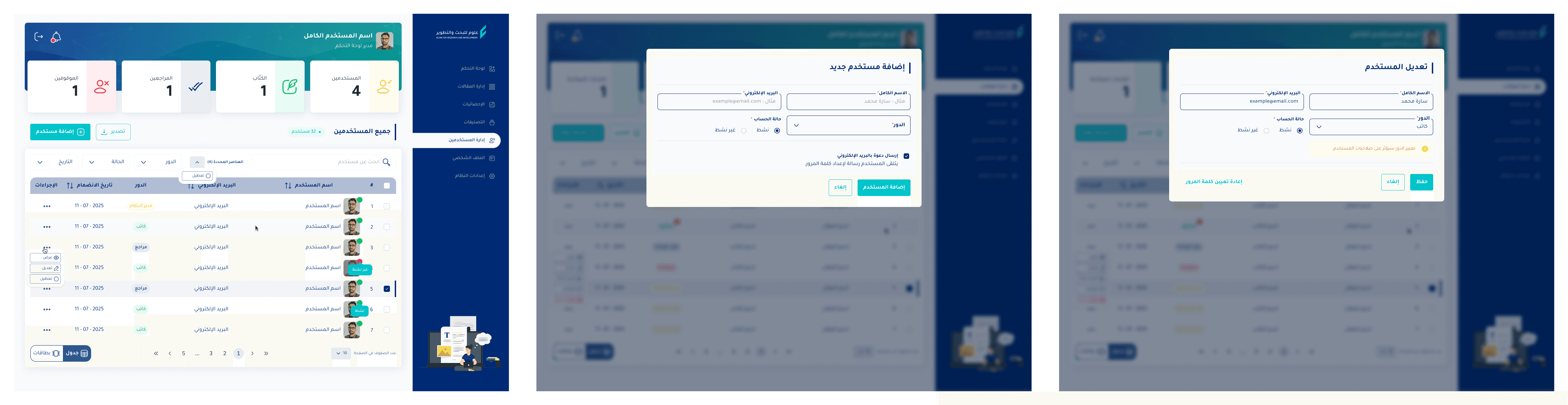
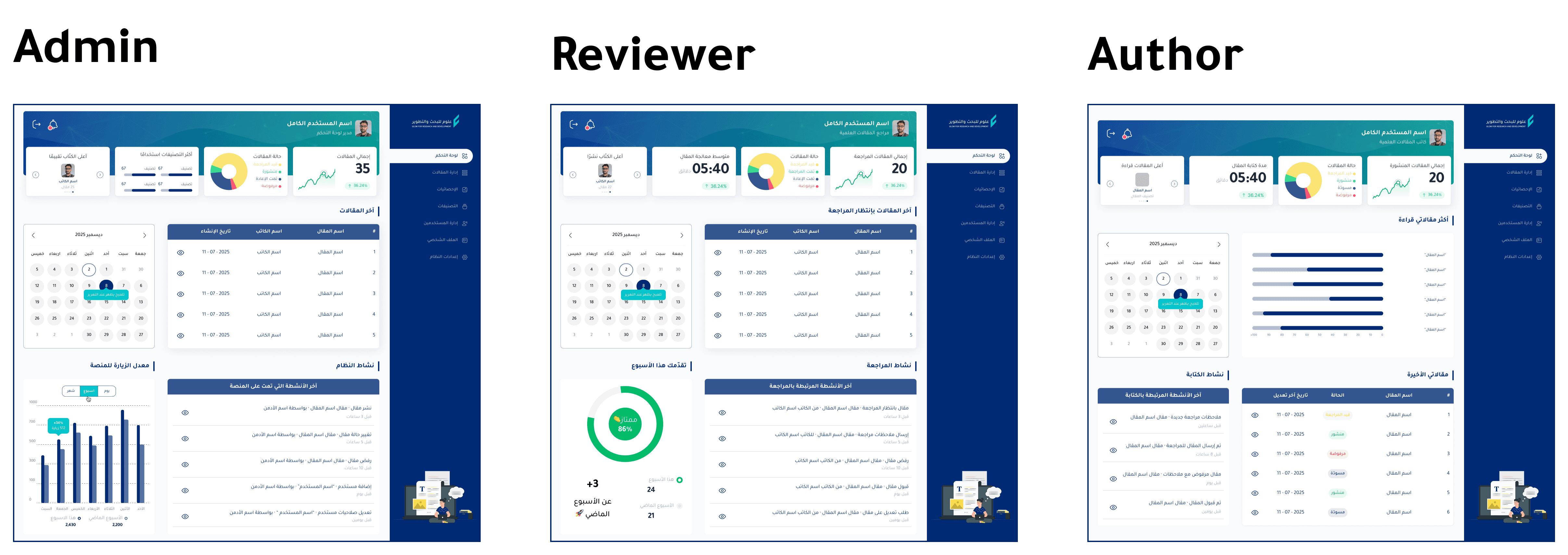
Each role received a dedicated dashboard and Article Management view reflecting only their permissions. The Admin has full CRUD control, export (CSV/Excel/PDF), bulk actions, User Management, and platform settings. The Reviewer sees a review queue with chain tracking (Writer → Reviewer → ...) and average processing time. The Author manages their own articles with draft/published/rejected statuses and report visibility only on published content. All views support table and card layouts with consistent filtering logic.
The Architectural Challenge
Unlike a redesign, this project was a foundational build. The platform required a new internal tool to manage its growing editorial workflow. The core challenge was not visual, but purely logical and systemic: designing a dashboard where the layout, statistical cards, and accessible actions adapt dynamically based on the user’s role and permission level.
A single, static interface could not serve the Admin, Reviewer, and Author simultaneously without exposing unauthorized actions or cluttering the workspace with irrelevant data.
Information Architecture
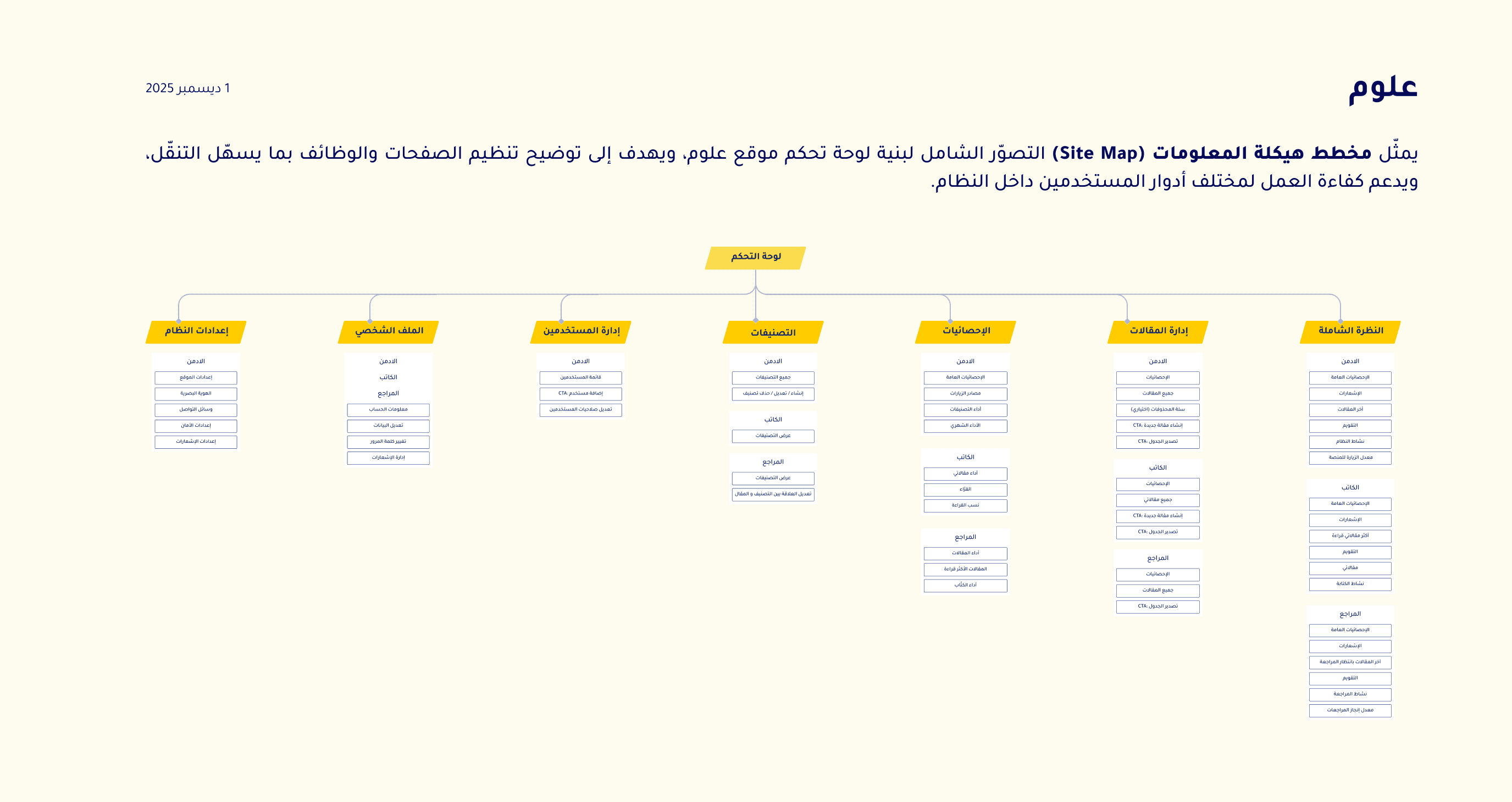
Before executing any visual design, the platform’s hierarchy had to be strictly defined. The architecture was structured to separate global platform controls from user-specific editorial tasks.
As detailed in the project’s site map, the system was divided into distinct operational branches:
System Settings & User Management: Restricted access for administrative control.
Taxonomy & Categories: Managing the scientific domains.
Statistics & Article Management: The core workspace, segmented further by role-specific capabilities.
Interface & Permission Design
The interface was designed to reflect the defined permission logic, ensuring each role is presented only with the data and actions necessary for their tasks.

Design System & Developer Handoff
To ensure scalability and facilitate a seamless handoff to the development team, a comprehensive, localized Design System was constructed using Figma Make.
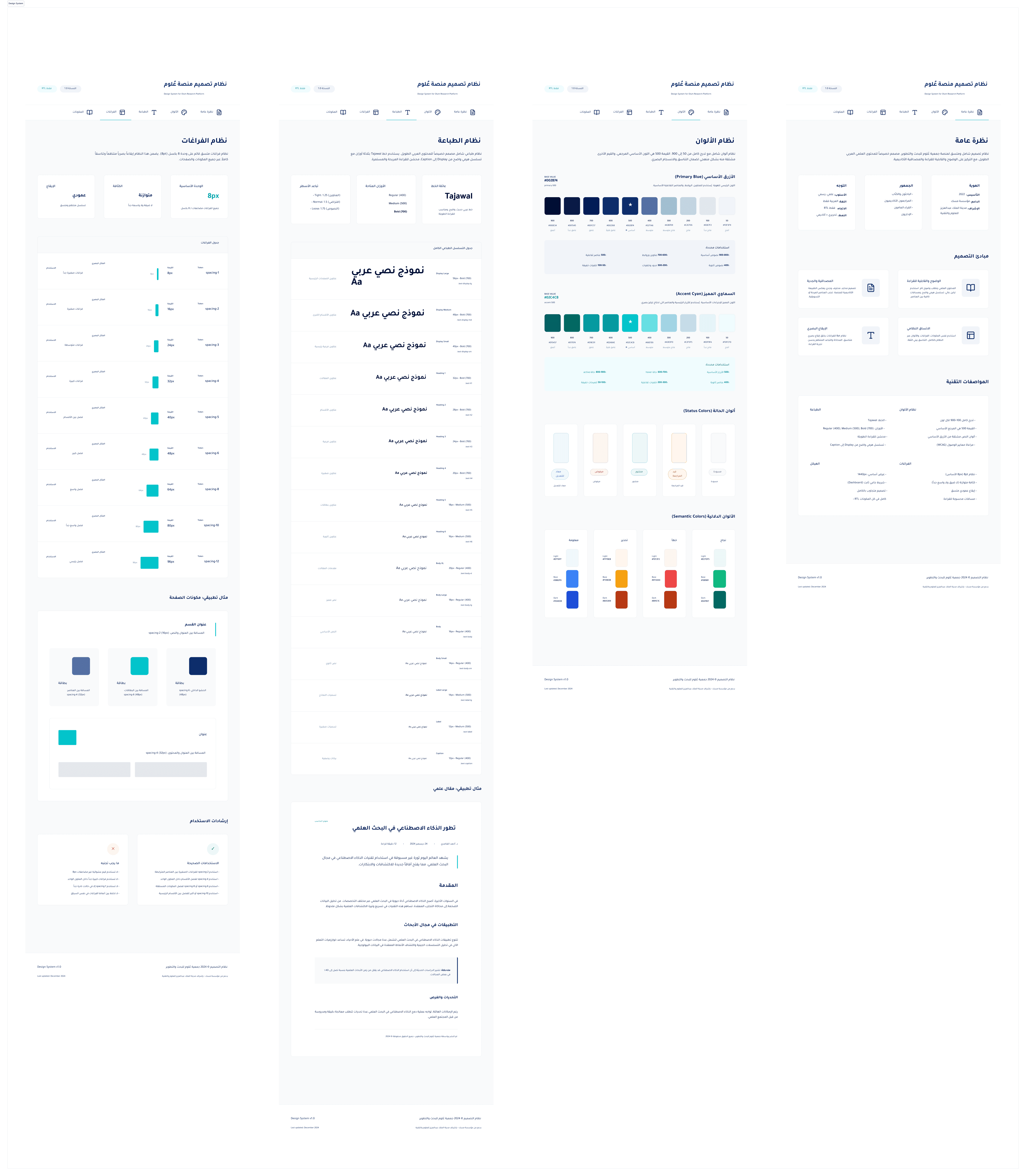
The Outcome: This structured approach resulted in a scalable, developer-ready UI architecture that was officially approved by the project leadership for implementation.